Mon – Fri: 08:30 – 18:30 | Sat: 09:00 – 17:00
London Mobile Technicians & Remote IT Support
BSOD Dump Analysis • Boot Loop Fixes • Emergency Same-Day Callouts

Windows Startup & Blue Screen of Death (BSOD) Repair in London

Facing a sudden Blue Screen of Death (BSOD) with an indecipherable stop code, or trapped in an endless "Preparing Automatic Repair" boot loop? Boot failures and kernel crashes are urgent emergencies that stop work instantly. Computer Repair IT diagnoses startup failures across London. We analyse Windows memory dump files (minidumps), repair broken boot configuration data (BCD), and identify whether the crash stems from driver corruption, faulty updates, or failing hardware.

  • On-site London home & office visits, plus workshop collection
  • Methodical diagnostic procedure with zero guesswork
  • Transparent, itemised written quotes before any repair begins
Windows Startup & Blue Screen of Death (BSOD) Repair in London Diagnostics & Repair in London
London Workshop & Mobile Triage Component-level testing & written quotes
London Coverage

Specialist Diagnostics

Component-level testing across hardware and operating systems

Itemised Written Quotes

Clear diagnostic findings & agreed pricing before work begins

London-Wide Coverage

On-site mobile callouts across Greater London boroughs

Strict Confidentiality

UK GDPR compliant privacy-first handling of all customer data

EDITORIAL OVERVIEW

Professional Startup & Blue Screen (BSOD) Diagnostics & Solutions in London

Facing a sudden Blue Screen of Death (BSOD) with an indecipherable stop code, or trapped in an endless "Preparing Automatic Repair" boot loop? Boot failures and kernel crashes are urgent emergencies that stop work instantly. Computer Repair IT diagnoses startup failures across London. We analyse Windows memory dump files (minidumps), repair broken boot configuration data (BCD), and identify whether the crash stems from driver corruption, faulty updates, or failing hardware.

Corrupted EFI system partition, damaged Master Boot Record (MBR), or broken BCD configuration

Boot Environment Recovery: We boot the machine into an offline recovery environment to inspect drive partitions and verify EFI boot files.

SERVICE CATALOG

Technical Services & Repair Capabilities

Structured diagnostics and hardware solutions tailored to specific equipment architectures and software environments.

Verified Solution

Boot Configuration & EFI Partition Rebuild

Reconstructing the bootloader, repairing corrupted BCD entries, and restoring UEFI Secure Boot pointers so Windows starts cleanly.

Verified Solution

Faulty Driver & Kernel Rollback

Booting into Safe Mode or offline recovery to strip out conflicting graphics drivers, sound card drivers, or broken third-party antivirus drivers.

Verified Solution

Windows Update Rollback & System Restore

Reversing failed quality updates or driver packages that bricked the operating system, restoring stability without data loss.

Verified Solution

Hardware Component Replacement

Replacing confirmed faulty RAM modules or failing NVMe/SATA drives and migrating system files safely.

SYMPTOM GUIDE

Common Problems We Inspect & Resolve

Early diagnostics prevent further hardware degradation or sudden data loss. Below are the most frequent symptoms we resolve across London.

Random Blue Screen Stop Codes

Blue screen stop codes (CRITICAL_PROCESS_DIED, KERNEL_DATA_INPAGE_ERROR) appearing randomly during daily use.

Kernel Crash Diagnostics

BSOD Crashes During Gaming & 3D Tasks

PC crashes into a BSOD every time a 3D game or graphics-heavy application launches on the desktop.

GPU Diagnostics

Endless Automatic Repair Boot Loop

System trapped in an endless automatic repair and restart loop, never reaching the Windows login screen.

Boot Loop Recovery

Blue Screen After Windows Update

Blue screen appearing immediately following a recent Windows cumulative update or driver installation.

Driver Rollback Options

Memory Management Stop Codes (RAM Fault)

BSOD with "PAGE_FAULT_IN_NONPAGED_AREA" or "MEMORY_MANAGEMENT" pointing to physical memory corruption.

RAM Replacement Advice

Silent Crashes & Automatic Restarts

PC reboots suddenly without displaying the blue screen error, generating Kernel-Power Event ID 41 logs.

Power Stability Testing
CLEAR JOURNEY

How Our Repair Process Works

A methodical three-step procedure designed to give you clarity and control from enquiry to return.

1

Describe Your Fault

Tell us your system model, symptoms, and London location via our quick quote form or by telephone.

2

Diagnostic Assessment & Quote

Our technician evaluates the fault and provides a transparent, itemised written quote with parts availability and turnaround time.

3

Agreed Repair & Testing

Upon your approval, we carry out the repair, perform rigorous stability tests, and return your system fully functional.

VERIFIED STANDARDS

Why London Customers Choose ComputerRepairIT

Dependable diagnostic methods, transparent written pricing, and complete client data protection.

Methodical Hardware Diagnostics

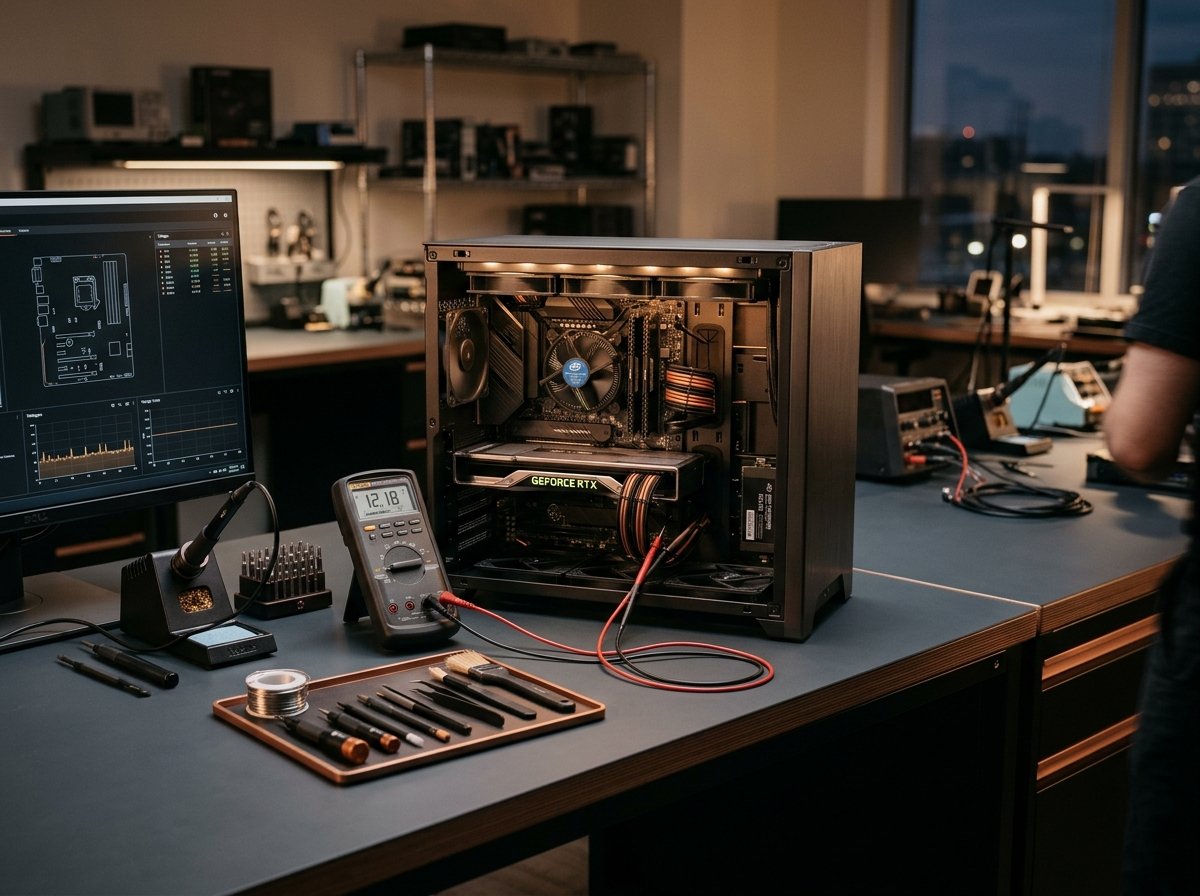
We never guess or replace parts blindly. Every system undergoes structured testing using calibrated diagnostic equipment, voltage meters, and system log audits.

Transparent Written Quotations

You receive a clear, itemised written quote detailing required parts, labour, and expected turnaround times. No work proceeds without your explicit approval.

Flexible London Service Options

Choose between convenient on-site visits to your home or office across London, or secure workshop collection for intricate micro-soldering and bench jobs.

Strict UK GDPR Data Confidentiality

Your personal photos, documents, and commercial assets are handled with absolute confidentiality in strict compliance with the UK Data Protection Act 2018.

LONDON REACH

Startup & Blue Screen (BSOD) Services Across London

Computer Repair IT provides dedicated diagnostic and technical repair services to residential users, remote professionals, and small businesses throughout Greater London. Whether you require an urgent home callout or on-site workplace support, our mobile technicians deliver reliable technical assistance directly to your door.

For intricate bench repairs requiring clean-bench environments or specialized testing equipment, we arrange secure collection and return across Central, North, South, East, and West London. Every enquiry begins with clear communication, realistic advice, and honest evaluations of repair feasibility.

Central London (City of London, Westminster, Camden, Islington, Southwark)
West London (Kensington & Chelsea, Hammersmith, Fulham, Richmond, Ealing)
North London (Barnet, Haringey, Enfield, Hampstead)
South London (Lambeth, Wandsworth, Merton, Bromley, Greenwich)
East London (Tower Hamlets, Hackney, Stratford, Canary Wharf)
FREQUENTLY ASKED QUESTIONS

Frequently Asked Questions

Factual answers regarding diagnostic turnarounds, data preservation, and London callout visits.

Need Personal Advice on Your Repair?

Speak directly with a technician for straightforward guidance on your symptoms and available appointment times.

Call +44 800 054 6750
Can you fix an Automatic Repair loop without wiping my files?
Yes. In the vast majority of cases, we can repair the broken bootloader, roll back conflicting updates, or fix file system corruption without touching your personal photos, documents, or desktop files.
What does the blue screen stop code mean?
A blue screen is Windows shutting down safely to prevent data corruption when the kernel encounters an unrecoverable error. Common codes like MEMORY_MANAGEMENT point to RAM, while INACCESSIBLE_BOOT_DEVICE points to storage or controller drivers. We analyse these exact logs.
What should I do if my PC gets a blue screen right now?
Take a photo of the screen with your phone so we can see the exact stop code and any listed file name (e.g. nvlddmkm.sys). Turn off the computer and do not continuously force-restart it if it keeps looping.
Can this be fixed remotely?
If the computer cannot reach the Windows desktop or networking environment, remote connection is impossible. A technician must inspect the machine on-site.
GET IN TOUCH

Need Help with Your Startup & Blue Screen (BSOD)?

Get clear, honest technical advice and an itemised written quotation from experienced London technicians. Submit your enquiry below or call our support desk.

Call Our London Support Desk: +44 800 054 6750 Mon – Fri: 08:30 – 18:30 | Sat: 09:00 – 17:00
  • No obligation written assessment before any work proceeds
  • Mobile on-site callouts or secure workshop collection
  • Strict confidentiality under the UK Data Protection Act

Request an Itemised Repair Quote

Complete the details below for a prompt, transparent evaluation.

Call +44 800 054 6750 Book Visit / Quote