Remote IT Support vs On-Site Visit: Which Service Do You Need?
When technology fails in your London home or office, choosing between an instant remote screen-sharing session and an on-site technician callout determines how quickly and cost-effectively your problem is solved. Compare the pros, limitations, and best use cases for both support methods.
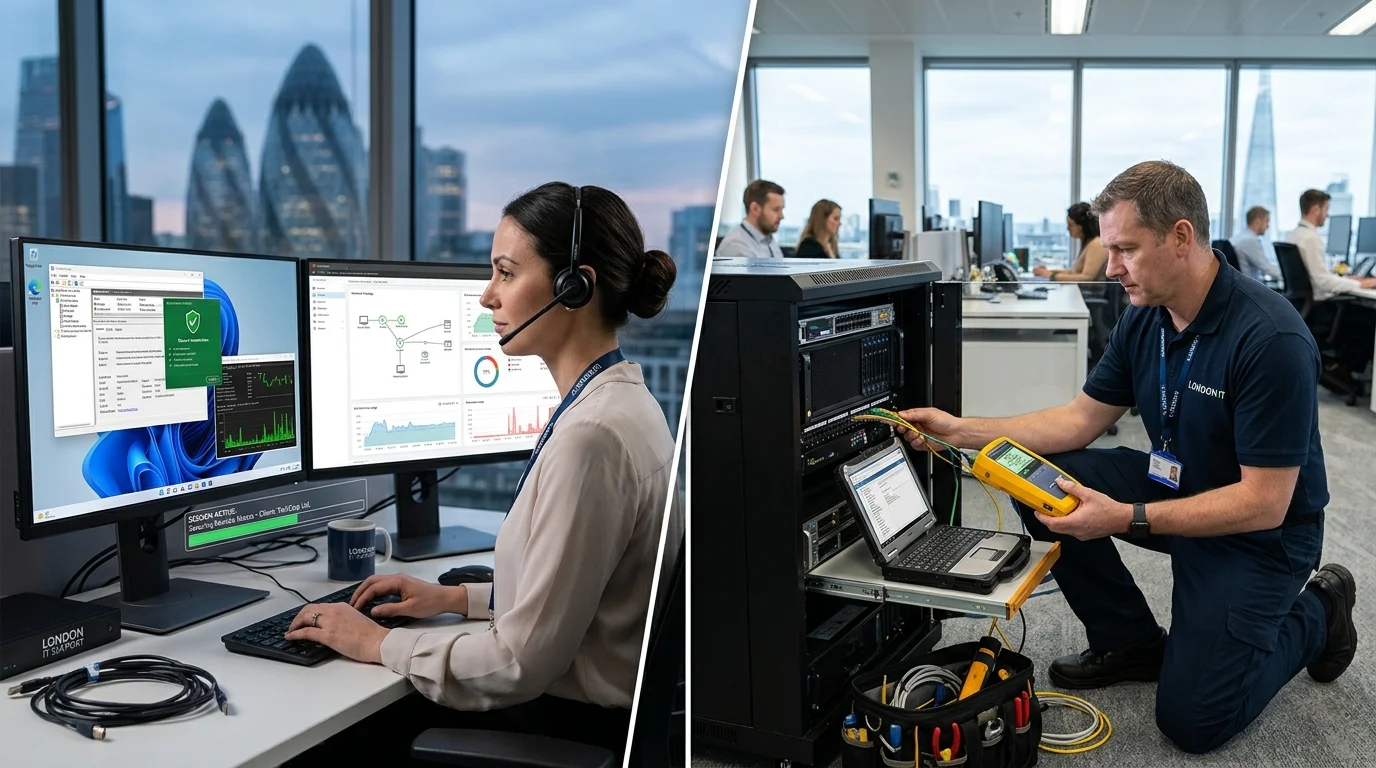
Choosing between remote IT support and an on-site technician callout depends on whether your computer issue is physical or software-based. Fast remote IT support resolves connectivity and virus issues in minutes.
Choosing between remote IT support and an on-site technician callout depends on whether your computer issue is physical or software-based. Fast remote IT support resolves connectivity and virus issues in minutes.
Choosing between remote IT support and an on-site technician callout depends on whether your computer issue is physical or software-based. Fast remote IT support resolves connectivity and virus issues in minutes.
Choosing between remote IT support and an on-site technician callout depends on whether your computer issue is physical or software-based. Fast remote IT support resolves connectivity and virus issues in minutes.
Choosing between remote IT support and an on-site technician callout depends on whether your computer issue is physical or software-based. Fast remote IT support resolves connectivity and virus issues in minutes.
Choosing between remote IT support and an on-site technician callout depends on whether your computer issue is physical or software-based. Fast remote IT support resolves connectivity and virus issues in minutes.
When your computer encounters an error, software stops responding, or your office network falters, resolving the problem quickly is essential. In modern IT support, you no longer need to automatically pack your desktop tower into a car or wait days for an engineer if the fault can be resolved remotely within minutes.
However, remote support is not a magic wand for every technical problem. Physical hardware component failures, broken laptop displays, dead power supplies. Additionally, severed network connections require physical hands-on tools.
At Computer Repair IT, we provide both instant encrypted remote assistance and rapid on-site technician callouts across Greater London. In this guide, we break down the exact differences, strengths, cost factors. Additionally, security considerations between remote IT support and on-site visits so you can select the right service for your situation.
Quick Comparison: Remote IT Support vs On-Site Technician Visit
| Comparison Criteria | Remote IT Support Session | On-Site Technician Callout |
|---|---|---|
| Response Time | Immediate to 30 minutes; no travel required across London traffic. | Scheduled same-day or next-day appointment at your home or workplace. |
| Prerequisites | Computer must power on and have an active, functioning internet connection. | None; works for completely dead, unbootable, or offline computers. |
| Best For | Email issues, software crashes, malware removal, printer driver fixes, configuration. | Hardware failures, power issues, broken screens, network cabling, cleanings. |
| Cost Efficiency | Lower cost; billed in short increments with zero travel or parking surcharges. | Higher investment; includes on-site diagnostic time and physical tool deployment. |
| Security & Privacy | Encrypted session; you watch the technician on screen; ends upon disconnect. | Physical engineer presence; full verification of physical workplace safety. |
| Hardware Repair Capability | None; cannot physically test power rails, swap RAM, or replace parts. | Complete; engineer brings multimeters, modular parts, and diagnostic tools. |

When Remote IT Support Is the Smarter Choice
Remote support connects a certified engineer directly to your desktop via a secure, temporary, 256-bit encrypted screen-sharing session (using trusted software like TeamViewer or AnyDesk). Remote support is ideal for:
- Email & Microsoft 365 Synchronisation Issues: Fixing Outlook password prompt loops, configuring email accounts on new devices, and restoring missing mail folders (see our Outlook troubleshooting guide).
- Software Conflicts & Application Errors: Resolving application crashes, updating broken software packages, fixing accounting software errors (QuickBooks, Sage, Xero), and clearing update loops.
- Virus, Adware & Browser Hijacker Decontamination: Eliminating aggressive browser pop-ups, removing rogue search engines, and scanning for background spyware while you watch the cleanup live.
- Printer Driver & Scanner Software Configuration: If your printer is physically powered on and connected to Wi-Fi but Windows refuses to print, a remote technician can configure TCP/IP ports and clear print queues within 15 minutes.
- General System Optimization & Speed Tweaks: Trimming background startup bloat, cleaning out cache files, and adjusting visual performance settings.
When an On-Site Technician Visit Is Absolutely Necessary
Remote technicians are powerless if the underlying physical hardware is broken or the computer cannot connect to the internet. An on-site visit is mandatory for:
- Computer Fails to Power On or Pass POST: If pressing the power button yields silence, beeping sounds, or spinning fans with a black screen, a technician must physically test voltages and reseat hardware components (as detailed in our PC startup failure guide).
- Total Internet & Wi-Fi Failure: If your broadband connection is down, your router is unresponsive, or your network card is disabled, remote access is technically impossible.
- Physical Hardware Replacement & Upgrades: Installing a high-speed NVMe Solid State Drive, replacing cracked laptop screens, renewing thermal paste, or replacing failing power supply units.
- Physical Office Cabling & Server Infrastructure: Patching ethernet wall sockets, installing network switches, mounting Wi-Fi access points, and organizing comms racks in London commercial offices.
How Remote Support Security Works
A common hesitation among first-time remote users is data privacy. Legitimate, professional remote IT support follows strict security protocols:
- You Initiate the Session: A technician cannot connect to your computer unannounced. You must open a secure one-time applet and explicitly provide a temporary access code.
- You Maintain Full Visibility: You see everything the engineer does in real time on your monitor. If at any moment you wish to terminate the session, you simply close the window or disconnect your internet.
- Zero Permanent Access: Once the session ends, the remote software closes and the temporary one-time password expires. The technician cannot reconnect without your explicit invitation.
Choose the Right IT Support for Your London Home or Business
Whether you need an immediate remote fix for an Outlook glitch or an expert engineer on-site to replace a failing power supply or upgrade your laptop, Computer Repair IT delivers transparent, reliable technical support across London.
Explore our commercial business IT support and home computer services, or book a technician visit today to get your technology running at its best.
For industry benchmarks on IT service management, visit the British Standards Institution (BSI) IT service standards portal.